
Website Planning
Google Business Profile Kaise Banaye: Free Setup Guide for India (2026)
Weps Technologies · 24/11/2026 · Updated 24/11/2026
Set up a free Google Business Profile in India: check eligibility, claim or add your listing, verify ownership and keep Search and Maps details accurate.
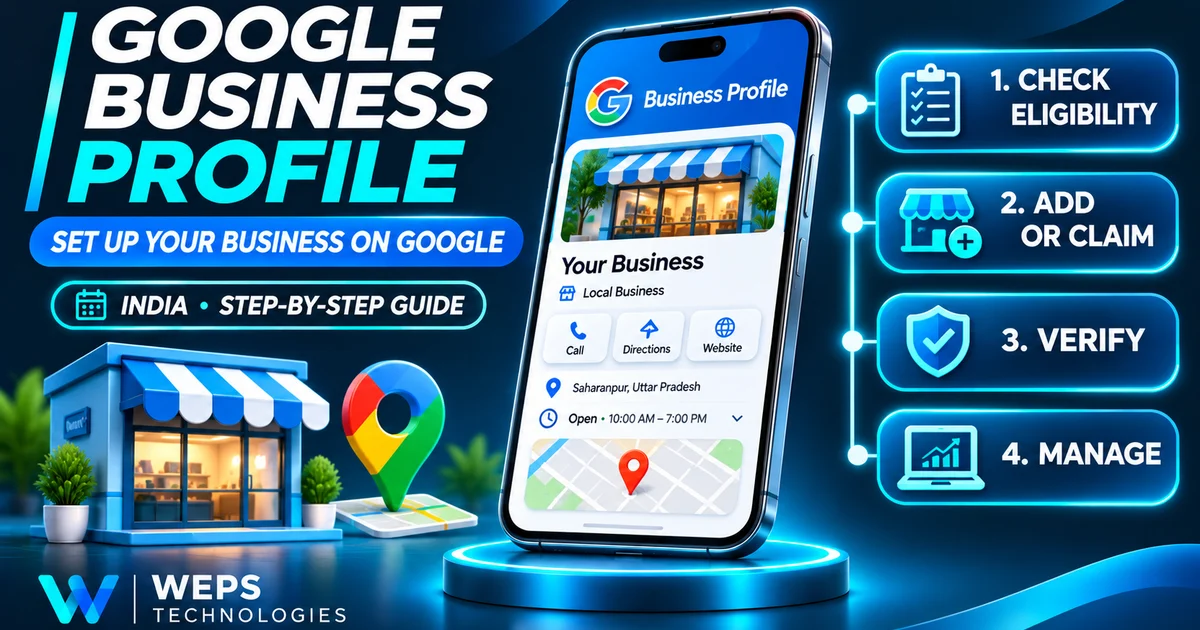
Quick answer: To create a free Google Business Profile in India, first search Google Maps to check whether your business is already listed. If it is not, sign in to your Google Account, visit business.google.com/add, select Add your business to Google, enter genuine business details and complete the verification method Google offers you. If an unverified listing already exists, claim it instead of creating a duplicate. If someone else has verified it, request ownership. Once verified, keep your hours, contact details, category and photos accurate. Google's official add-or-claim instructions and verification guide explain the current process.
This practical English guide also answers the popular Hindi search question “Google Business Profile kaise banaye?” It is written for shop owners, salon operators, clinics and eligible service-area businesses in Indian cities and towns—including Saharanpur. The screenshots, labels and verification options you see may differ; Google chooses which verification methods are available. A Business Profile can help customers discover you on Google Search and Google Maps, but it does not guarantee the first position.
What is a Google Business Profile—and is it free?
A Google Business Profile (GBP) is a business listing you can manage on Google Search and Maps. Depending on your business type, it can show your business name, service area or address, phone, operating hours, photos, website and reviews. Creating or claiming a profile is free, as Google's official India Business Profile page confirms. Optional advertising and paid agency services are separate from the free listing.
A Google Business Profile is not the same as a website. The listing helps customers find business facts and directions; a website gives you more control over service descriptions, enquiry forms, pricing explanations and long-form content. See whether a small business needs a website or mobile app for that broader decision.
Before you start: Check whether your business is eligible
Google generally allows a profile when a business meets customers in person—either at a location customers can visit or by travelling to customers. Google's video verification page says online-only businesses with no in-person services are not eligible. Follow the full Google Business Profile eligibility and representation guidelines; eligibility can have category-specific exceptions.
| Business model | What to check before creating a profile |
|---|---|
| Storefront shop or salon | Customers can visit the genuine location during stated business hours; signage and address should be accurate |
| Service-area business (plumber, home-repair technician) | You travel to customers; set an appropriate service area and hide your address if customers do not visit it |
| Hybrid business | You serve customers at a staffed location and also visit customers; you may display the real storefront and add a service area |
| Online-only shop | Without eligible face-to-face customer contact, a Business Profile is generally not permitted |
| Virtual office or unstaffed co-working address | A rented mailing address alone does not make an eligible business location |
For most single-location businesses, use one profile for that business at that location. Google has specific exceptions for some departments and individual practitioners; do not treat one-profile-per-location as an absolute rule for every organisation.
Step 1: Search Google Maps before creating a new listing
Search for your actual trading name and town on Google Maps. Try your shop name, nearby area and category. This prevents duplicate listings, which may confuse customers and lead to management problems.
There are three different starting cases:
- Your business does not appear: follow the new-listing steps below.
- Your business exists but is unverified: open the listing, select Claim this business, then Manage now, and follow the instructions.
- Your business is already verified by somebody else: do not create a new profile to bypass the owner. Use Google's request ownership process: enter the business at business.google.com/add and, if Google says someone else may manage it, choose Request Access. Google says the current owner has 3 days to respond, and that if there is no response you may be able to claim the profile, though this is not always available.
On phones and computers, wording and menu placement can change. Use the options Google presents, rather than following an old screenshot blindly.
Step 2: Add your business to Google
If no existing profile appears:
- Sign in with a Google Account that your business controls.
- Open business.google.com/add.
- Choose Add your business to Google.
- Enter the real business name and choose the most specific relevant primary category offered by Google.
- Provide a genuine business location or service area, following the eligibility rules above.
- Add an accurate phone number and/or a website representing the business, plus other requested details.
- Follow the on-screen prompt to verify that you represent the business.
Business ownership tip: Keep the primary ownership with the real business owner. Give staff or agencies their own manager access instead of sharing a personal Google password or verification code. Google documents owners and managers separately.
Step 3: Enter accurate business details—without keyword stuffing
| Field | Good practice | Avoid |
|---|---|---|
| Business name | Use the name customers know from signage and official branding | Adding “best”, phone numbers, cities or unrelated search phrases |
| Primary category | Select the closest category to your core activity | Adding unrelated categories only to rank for more terms |
| Address or service area | Use a real eligible location; hide a non-customer-facing home/service address | Showing a virtual office or publishing a home address as a shop when customers do not visit |
| Hours | Provide genuine customer-facing hours and update holidays when appropriate | Claiming 24/7 or walk-in availability when it isn't true |
| Phone and website | Use a business contact number or an appropriate website | Wrong numbers, irrelevant websites and tracking redirects that mislead customers |
| Business description | Describe what the business does, clearly and naturally (maximum 750 characters) | Links, keyword lists or a description dominated by promotions and prices |
| Photos | Add authentic, up-to-date storefront, product or service photos | Stock photos presented as your own location or misleading imagery |
Example (hypothetical, not a WEPS client): A Saharanpur phone-repair shop whose sign reads Sharma Mobile Care should use that name, not “Sharma Mobile Care Best Cheap Repair Shop in Saharanpur.” It can select an appropriate repair-related category and supply accurate opening hours. The Google representation guidelines are the final reference.
Step 4: Verify your Google Business Profile
Verification helps Google confirm that you can represent the business. You cannot demand a specific method; Google determines what is available based on the profile and other signals.
| Possible method | What to expect |
|---|---|
| Phone or SMS | If offered, a code is sent to a phone that can take the call or text |
| If offered, Google sends the steps by email | |
| Video recording | You may need to show the location, operations and proof you manage the business |
| Live video call | Available to some businesses |
| Postcard / mail | If offered, Google sends a code to the business mailing address |
| Instant verification in selected cases | May happen for an eligible verified website/Search Console connection or bulk verification; never assume it will |
If Google offers video verification, follow its evidence prompts. Google says the video must be live and unedited, at least 30 seconds long, and recorded from a mobile device through the profile. A shop should show its location, its signage with the profile name and proof that you manage it, such as an employee-only area. A service-area business should show where it operates, its tools or products and proof of management. See Google's video verification instructions.
If postcard verification is offered, Google says most codes arrive within 14 days, expire after 30 days, and requesting a new code invalidates the previous one. Do not change the business name, address or category while waiting for that code. After you submit verification evidence, Google's review may take up to five business days, occasionally longer. These are Google-provided descriptions, not guaranteed delivery or approval times. Source: Verify your business.
Security: Never share OTPs, passwords or verification codes with a vendor, unknown caller or anyone claiming to guarantee instant approval. Business owners can grant appropriate access without giving away account credentials.
Step 5: Manage your verified listing
Once verified, keep the information useful rather than “optimizing” with unrelated keywords:
- Update business hours and special hours before holidays or schedule changes.
- Upload representative photos and keep the public contact details current.
- Check messages, enquiries, reviews and available profile features; options vary by region and category.
- Ask genuine customers for honest reviews without incentives, discounts or pressure. Google prohibits incentivized or manipulated reviews.
- If you move, rename the business or change key details, follow Google's edit guidance and reverify if Google requests it; do not automatically close a profile for every name change.
- Keep the domain and location-related information consistent with your business website.
Review Google's edit instructions and rules for customer reviews when managing your listing.
What helps your business appear in Google Maps results?
Google describes three main local ranking factors: relevance, distance and prominence. Relevance improves when your category and business details accurately match the search. Distance depends on where the searcher is relative to the business or service. Prominence reflects how well known the business is, and Google ties it in part to review count and ratings. There is no way to pay Google for a better organic local ranking. Source: Google's local ranking guide.
A realistic checklist is to complete factual profile information, maintain correct hours, respond professionally to genuine reviews, add honest photos and keep a useful website. None of these guarantees a particular position.
Google Business Profile vs website vs Search Console
These tools have different jobs:
| Tool | Its main role | What it does not do |
|---|---|---|
| Google Business Profile | Manages your eligible business presence on Google Search/Maps | Does not replace a complete website or guarantee a ranking |
| Business website | Explains services, showcases work and collects enquiries | Does not automatically create or verify a Business Profile |
| Google Search Console | Shows your website's Google indexing and search performance | Is not a directory to submit a business listing |
| Bing Webmaster Tools | Helps monitor and submit the website for Bing discovery | Does not register your Google Business Profile |
If you want a professional business website alongside your listing, explore website design and development at WEPS Technologies and our Saharanpur website development guide.
Troubleshooting common setup problems
My business is already listed on Maps
Claim the existing unverified listing. If a previous employee or agency owns a verified one, follow Google's ownership-request workflow instead of opening a duplicate.
Google doesn't offer postcard verification
This is normal for some businesses. Follow the methods shown in your account; Google determines eligibility and does not promise a universal option.
My service business works from home
You may qualify as a service-area business if you visit customers in person. Follow the service-area rules, including hiding the home address when customers do not visit.
My verification was rejected
Read Google's reason or “Review issues” prompt. Gather the requested authentic proof, use the available re-verification path, or contact official Business Profile support. Do not pay a person who promises guaranteed verification.
My shop still does not show at the top
Verification is not a #1 ranking guarantee. Keep the profile accurate and refer to Google's three local ranking factors, rather than buying fake reviews or stuffing keywords into the business name.
A seven-point setup checklist you can save
- Confirm that your business meets Google's in-person eligibility rules.
- Search Maps first; add, claim or request ownership based on what you find.
- Use the real business name and relevant primary category.
- Set the right address visibility, service area and customer-facing hours.
- Complete the verification method Google offers—protect codes and passwords.
- Add authentic photos, maintain details and respond to genuine reviews.
- Link an accurate website if you have one; measure site SEO separately in Search Console.
Frequently asked questions
Google Business Profile kaise banaye?
Search Maps for your business first. If no listing exists, go to business.google.com/add, add your actual business information and complete the verification process Google offers. If an unverified listing exists, claim it instead.
Is Google Business Profile free in India?
Yes. Google says adding, claiming and managing an eligible Business Profile is free. Optional advertising or a consultant's fee is separate.
Is a website compulsory for Google Business Profile?
No. An eligible business can create a Business Profile without a website. Google's guidelines ask for an appropriate contact phone number or website representing the business location.
Can an online-only business create a Google Maps listing?
Generally not if it has no in-person customer contact. Check the current eligibility rules for your specific type of business.
Can I choose SMS, video or postcard verification?
Not freely. Google shows methods available to your business; options can vary, and some businesses must complete additional checks.
What if my Business Profile is already owned by someone else?
Use Google's request ownership process: enter the business at business.google.com/add and, if Google says someone else may manage it, choose Request Access. Google says the current owner has 3 days to respond, and that if there is no response you may be able to claim the profile, though this is not always available. Avoid creating a duplicate listing to work around ownership.
How long does verification take?
It depends on the available method and Google's review. For mail, Google says most codes arrive within 14 days; after steps are completed, review can take up to five business days and occasionally longer.
Can WEPS Technologies guarantee my shop will rank first?
No. Google controls its local rankings. WEPS can help with a useful business website and sound technical SEO, but cannot guarantee a local ranking or verification outcome.
Need a website alongside your Business Profile?
A free Google Business Profile is often a sensible first step for an eligible local business. If you also need a mobile-friendly website with service pages and clear enquiry paths, read about WEPS website design and development or contact our team. Call or WhatsApp +91 97193 25253 to discuss your website requirements. Please do not send passwords, verification codes or private account credentials.
WEPS Technologies is an independent website and software development company. This article is educational and is not an official Google publication or an offer of guaranteed verification or ranking.
Official references and last review
- Google Business Profile — Free official product page
- Google — Add or claim your Business Profile
- Google — Verify your business
- Google — Guidelines for representing your business
- Google — Request ownership
- Google — Edit your Business Profile
- Google — Tips to improve your local ranking
- Google — Get more reviews within policy
- Google — Owners and managers
- Google — Video verification
Research checked: 24 November 2026. Google may update steps and verification options. The Saharanpur shop example is hypothetical, not a reported client project.