
TV Apps
LG webOS App Rejected? Common Reasons and How to Fix Them
Weps Technologies · 23/11/2026 · Updated 23/11/2026
Preparing an LG webOS TV app for Seller Lounge? Learn what LG explicitly requires, why submissions can fail, and how to test and resubmit with evidence.
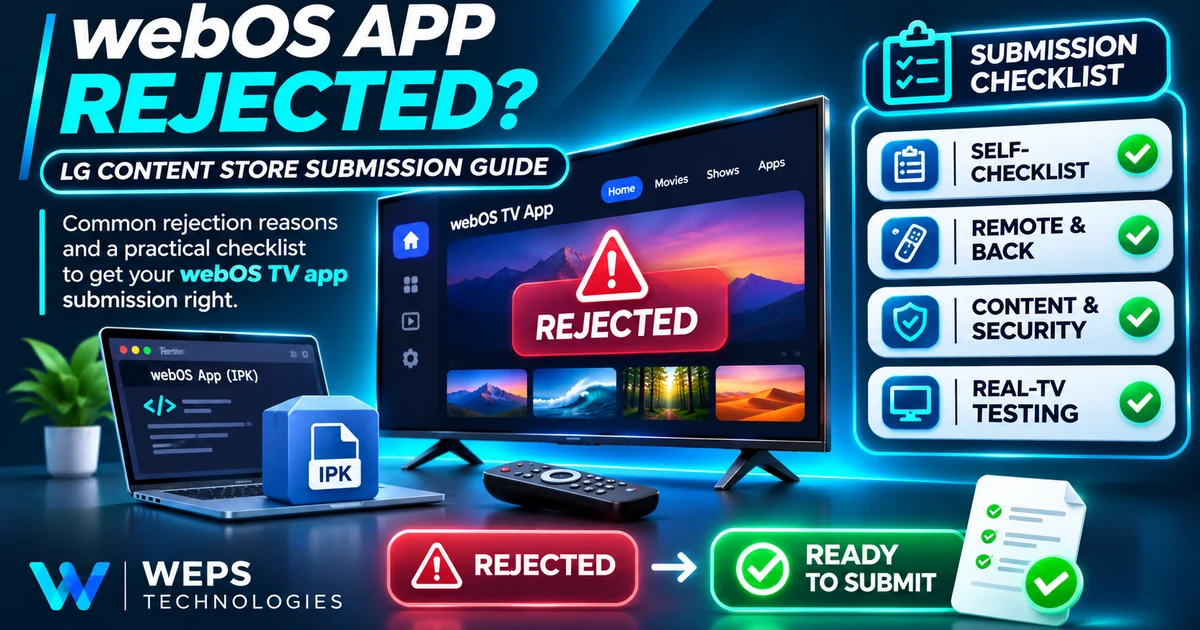
Quick answer: LG reviews webOS TV applications submitted through LG Seller Lounge. A submission can be rejected for a missing or incomplete mandatory self-checklist, failures against mandatory remote-navigation or focus rules, and content that violates LG's guidelines. In addition, teams should inspect their app for exposed credentials, supply a useful UX scenario, and test behavior on real TVs. LG lists submission, testing and approval as the main stages; after a failed test, it returns the app with issues to fix before resubmission. Source: LG approval process.
The important distinction is between a documented rejection requirement and a good precaution. LG explicitly says that missing or insufficient self-checklists lead to rejection. It also publishes mandatory UX and content rules. Other items in this guide—such as maintaining a device test matrix—are practical steps to reduce avoidable failures, not a promise that LG will approve the app.
This guide is for founders, developers and QA teams preparing a TV app for LG's store. If you need to create and test your first app, read our beginner's webOS TV app development guide. If you are comparing budgets, see TV app development costs and timelines.
What happens when you submit an app to LG Seller Lounge?
LG describes three stages in its official approval process:
- Submission: Prepare the application package (.ipk), images, UX scenario and self-checklist, then submit through LG Seller Lounge.
- Testing: LG checks submitted information, app functionality and content. Its documentation calls these pretest, function test and content test.
- Approval or rejection: An approved version can be made available on LG Apps. If the app fails, LG lists issues for the team to fix and resubmit. Updates also undergo approval.
There is no verified universal approval duration in the official pages used for this guide. Avoid relying on any agency's guaranteed review date; leave time for fixes and another submission.
The main rejection risks at a glance
| Area | What LG says | What your team should do |
|---|---|---|
| Self-checklist | Mandatory; missing or insufficient results can cause rejection | Download the latest form and fill it with actual tests |
| Remote navigation | Mandatory directional keys, OK and Back behavior | Test every selectable action with a remote |
| Focus and selection | Selectable objects need a visible selection effect | Verify focus highlight on every interactive screen |
| Back at the entry page | Version-specific requirements, including a special webOS TV 23–25 checklist rule | Test the exact webOS versions you support |
| Content | LG tests for prohibited or inappropriate content | Review UI, media, descriptions and dynamically loaded content |
| Credentials and privacy | LG asks developers to examine exposed credentials and unsafe storage | Scan source, filenames and built assets for real secrets |
| Permissions for webOS 27 | requiredACG is mandatory for webOS TV 27 and later | Declare correct permissions, including an empty array where applicable |
The final two lines require care: credential exposure is a security and checklist concern; and the requiredACG requirement applies to webOS TV 27+, not a blanket rejection reason for earlier versions.
1. Missing, outdated or inaccurate self-checklist
This is the clearest documented submission blocker. LG says the completed App Self Checklist must contain the app's actual test results. The App Approval Process states that missing or insufficient checklists result in rejection, and the App Self Checklist page warns that falsely marking an applicable item N/A can also lead to rejection.
An easy-to-miss detail: LG's FAQ on updated templates warns that submissions using an old version of its self-checklist will not be approved. Download the current file immediately before submitting instead of reusing an old project template.
Fix it before resubmission:
- Download the latest official checklist, not a copy from another client or older project.
- Test each relevant item on supported physical TV models, not just the simulator.
- Record Pass / Fail / N/A, the TV model, webOS version, build version, date and evidence.
- Explain the reason for every N/A. Do not mark a failed test as inapplicable.
- Re-run every previously failed case after a fix and attach or retain the evidence for your team.
Example (hypothetical): Your app has no playback feature, so a playback-specific test may be N/A. But if the app plays protected videos, the same test cannot be skipped just because the simulator does not support that scenario.
2. Remote control or focus navigation that breaks
An interface built for a mouse or touchscreen is not automatically TV-ready. LG's mandatory UX guidance requires selectable UI elements to work with four-way navigation keys, OK and Back, with specific exceptions for colored on-screen buttons. The guidance also requires selectable objects to show a visual selection effect, such as a highlight, animation, color or size change.
Common failure examples include a login button that never receives focus, a carousel that traps the user, a dialog that cannot be dismissed, and an element that is selected but has no visible focus state. These are illustrative cases, not claims about an actual rejected app.
How to check: Start at the home screen and put away your mouse. Move through every actionable item with Up, Down, Left, Right and OK. Repeat with the Magic Remote pointer where supported. For each step, check that focus is visible, movement is logical, and a user can leave the screen.
3. Incorrect Back-button behavior—especially on different webOS versions
LG's published guidance contains version-dependent details that should not be flattened into one universal rule.
The App Self Checklist specifically says that on webOS TV 23 through 25, pressing Back at the app's entry page should show the Home screen. LG's separate Back Button guide describes the platform behavior and implementation techniques, including history.pushState(), handling keycode 461 when manually managing Back, and webOS.platformBack().
For the latter API, LG documents an exit popup on webOS TV 6.0+ and Home launcher behavior on 5.0 or lower. Because the documents describe different contexts and versions, your implementation should be tested against the specific target TV/OS combinations, with the latest applicable checklist as the acceptance reference.
Test at least: Back from a detail page, a search results screen, a modal, a login flow, a video player and the entry page. Confirm that it never leaves an unusable blank screen or traps the viewer.
4. Content that does not meet LG's content rules
LG performs a content test as part of approval. Its self-checklist summarizes restricted and inappropriate content categories, including certain sexual content, graphic violence or cruelty, discriminatory content, crime or illicit drug promotion, certain gambling mechanisms, and attacks on religious or national backgrounds. Read the official wording rather than assuming this summary is exhaustive.
For an app with an online catalogue or video feed, review not just bundled images and sample text but also the content that will load from your backend during QA. A green check on the app shell is not enough if the content shown to LG's tester changes later.
Action: Review the Seller Lounge listing, thumbnail, screenshots, demo content, production-like feeds and any geolocation-dependent catalogue behavior against the current requirements. Escalate uncertain cases to LG's official support or Seller Lounge rather than guessing.
5. Privacy and embedded credentials
LG's privacy and credential guidelines require teams to review source code and filenames for security-sensitive information. The page lists examples involving variable names containing password, pwd, credential, token, filenames containing those terms, and PEM private-key material.
Important: The presence of the word token in a variable name does not by itself prove a secret leak. Perform a real security review to determine whether sensitive values, signing keys, session tokens or user data are exposed in source files or packaged assets.
Reduce risk: Keep secret credentials on a server, avoid hard-coded production keys, use secure storage appropriately, review build artifacts, and never put real secrets in your UX scenario or QA documents.
6. webOS TV 27: prepare the requiredACG declaration
This is an important forward-looking submission validation requirement, not a reason to say every current webOS app is already rejected.
LG's Access Control Group (ACG) guide states:
- webOS TV 25 and earlier: ACG is not supported.
- webOS TV 26 Re:New: ACG can be declared and tested.
- webOS TV 27 and later: Every app must include requiredACG in appinfo.json, even if it does not call any Luna service APIs. LG says missing declarations fail Seller Lounge eligibility validation.
An app with no Luna API usage may need the following field:
"requiredACG": []
Some webOSTV.js helper methods call Luna services internally, so a 27+ app can need groups even if it never calls a Luna API itself. If the application uses Luna services, find its exact permission groups in LG's current ACG reference and declare only the required groups. Do not blindly add an empty array to an app that actually needs permissions. This requirement applies to the stated TV versions and eligibility process.
7. Review the submission package and UX scenario
LG asks for an .ipk application package, images, a UX scenario and the completed self-checklist. The UX scenario helps LG testers understand and reproduce user journeys. The official approval page recommends writing it accurately and with enough detail.
A useful UX scenario identifies the starting screen, navigation path, expected outcome, any login or test-account instructions, and how to reach a feature that is otherwise hidden behind a condition. Do not put passwords or signing keys in a public document. If testers need a login, use a dedicated test account that you can disable afterwards, and check Seller Lounge for how to pass its details to LG.
LG describes the pretest as a check that the submitted app information is valid. The public page does not list every error message, so treat the result Seller Lounge shows you as the ground truth for your submission.
Mandatory requirements vs recommended TV usability guidance
LG explicitly distinguishes mandatory guidelines from recommended ones. For instance, the self-checklist recommends 1920 × 1080 screen resolution, minimum button-image sizes of 75 × 75 px at 1080p, and minimum text of 20 px at 1080p, while its remote navigation and visible selection rules are mandatory. Do not describe every recommended pixel size as an automatic rejection threshold. LG UX checklist.
Recommended practices such as loading indicators, clear playback controls and real-TV performance checks make the experience stronger even when a specific recommendation is not itself a mandatory gate.
A practical real-TV QA matrix before submitting
Use the following examples as a team testing plan, not as a replacement for LG's official checklist.
| Test | How to verify | Evidence to keep |
|---|---|---|
| Initial launch | Cold-start app on supported TVs | Video or screen recording, build ID |
| D-pad / OK | Navigate every selectable control | Device/OS and pass/fail |
| Magic Remote | Validate pointer and focus where supported | Screenshots of selection states |
| Back behavior | Test every navigation depth and entry page | Notes by webOS version |
| Sign-in / logout | Check valid, invalid and interrupted flows | Sanitized screen captures |
| Playback, if applicable | Play, pause, seek, reconnect, subtitle/audio | Real-device results |
| Slow network | Check recovery and informative errors | Network scenario and logs |
| Content review | Inspect listing and dynamic catalogue | Content audit checklist |
| Credentials | Review source, assets and filenames | Redacted security report |
| Submission materials | Confirm newest checklist, UX scenario, IPK and images | Submission checklist and version |
| ACG if applicable | Check declared permissions for webOS TV 27+ | appinfo.json review |
If you do not have a particular TV model, mark the case Not tested in your internal QA report. Do not claim it passed, and do not convert a required LG checklist result into N/A merely because hardware was unavailable.
What to do after LG rejects your app
- Read the exact issue text in Seller Lounge and identify the affected build, TV model, OS version and scenario.
- Map the issue to a requirement in LG's current self-checklist or the cited platform guide.
- Reproduce it on hardware where the issue is device- or OS-dependent.
- Fix the smallest root cause, then run regression tests for focus, Back, startup and other critical paths.
- Update the UX scenario and self-checklist so they accurately describe the modified build.
- Resubmit through Seller Lounge and track the new review outcome.
A rejection is a review outcome, not proof the entire product is poor. But it should result in an actionable bug record and evidence-backed retest, not a blind resubmission.
Frequently asked questions
Why was my LG webOS app rejected?
LG may reject an app when required submission documentation is missing or inaccurate, or its tests detect issues with functionality, mandatory UX requirements or content. The specific reason for your app is the issue LG returns through Seller Lounge; this article cannot diagnose a submission without that notice.
Is the LG webOS self-checklist required?
Yes. LG says you must upload the current checklist with actual test results. A missing, insufficient or inaccurately marked checklist can result in rejection.
Can I submit without a physical LG TV?
LG's pages we read do not say whether a physical TV is mandatory. They do require your checklist to show your app's actual test results. In our experience of TV work, remote interaction, performance and playback are best checked on real TVs, and you should never mark a test as passed that you did not run.
How should Back work on webOS TV?
It depends on the target version and navigation context. LG's self-checklist includes a specific webOS TV 23–25 entry-page rule; its Back guide documents implementation patterns and other version-specific behavior. Verify your target models against both.
Is requiredACG mandatory in 2026?
The LG guide says it is mandatory for webOS TV 27 and later. It is available to test on webOS TV 26 Re:New. Do not apply the rule indiscriminately to earlier TV versions.
How long does LG Content Store approval take?
The official pages cited here do not provide a universal guaranteed duration. Allow room in the project schedule for QA findings, fixes and resubmission.
Do app updates need another review?
Yes. LG explains that an approved app's later changes must go through an approval process before they become available.
Need help preparing an LG webOS TV submission?
Weps Technologies' webOS TV app development service covers TV-focused interfaces, device compatibility, real-device testing and the submission workflow. For a wider platform decision, see TV application development. If you already have a rejection notice, share the non-sensitive issue description, target TV models and app features using our contact form or call/WhatsApp +91 97193 25253.
We can review the scope and recommend a QA/remediation plan. We do not guarantee LG approval or review timing. Weps Technologies is an independent developer and is not affiliated with LG Electronics. Please do not send credentials or private signing keys.
Official sources and further reading
- LG: App Approval Process
- LG: App Self Checklist
- LG: Back Button
- LG: Access Control Group (ACG)
- LG: FAQ — current checklist versions
- LG: App Ecosystem
Editorial note: LG's official webpages were reviewed on 23 November 2026. Their rules can change. Check the current checklist and Seller Lounge instructions before every submission. Examples and test matrices in this article are educational and do not describe a confirmed WEPS client rejection.